Shop / Download
ByteClip: AI Shorts Clipper
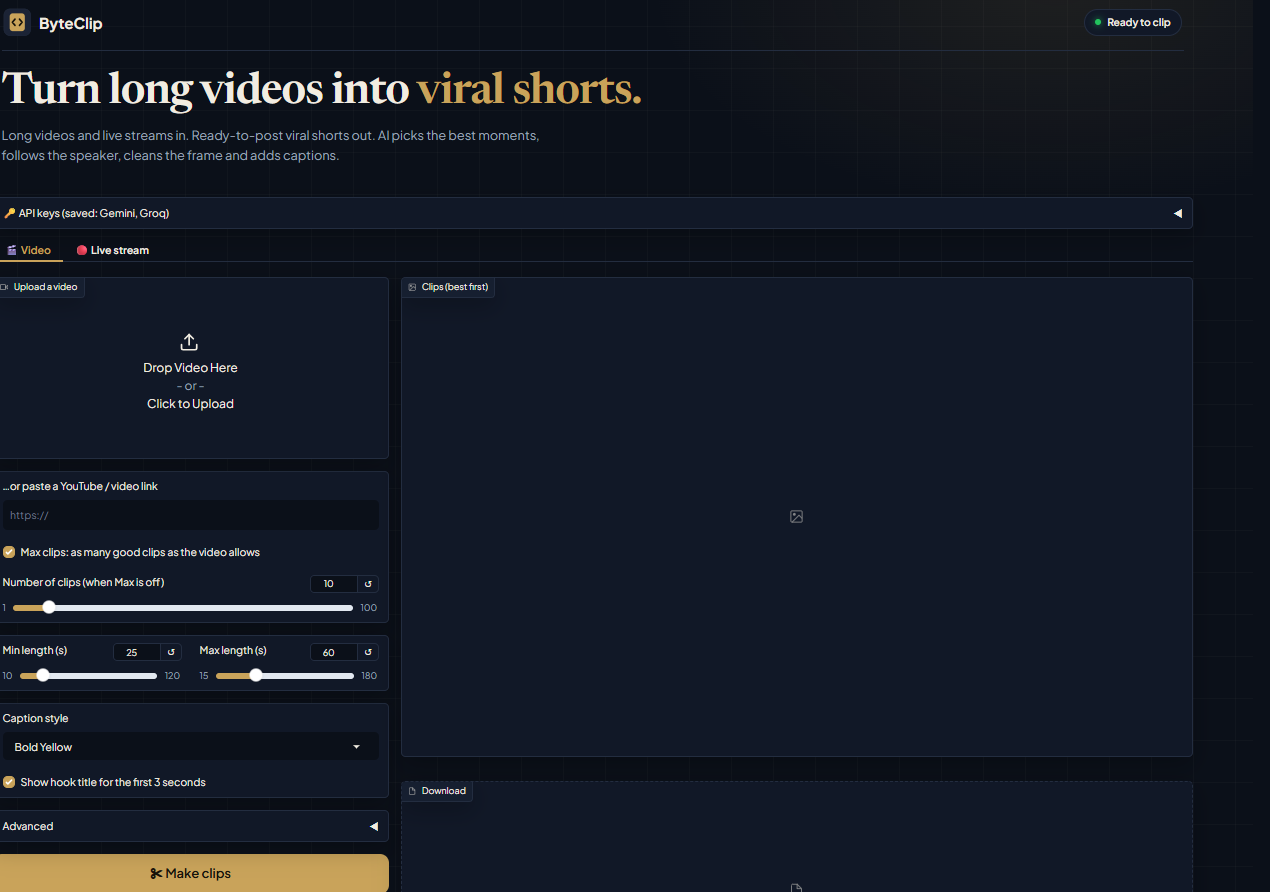
Turn long videos and live streams into ready-to-post vertical shorts with AI clip picking, speaker tracking and animated captions. Runs on your own PC.
What it does
- AI finds the most viral moments and scores each clip out of 99
- Cuts start and end on full sentences, never mid-word
- Auto-reframes 16:9 to 9:16 and follows whoever is talking
- Two-person split screen for podcasts and interviews
- Facecam-on-top, gameplay-below layout for Twitch and gaming streams
- Animated word-by-word captions in 4 styles
- Hook title in rounded pills for the first 3 seconds
- Removes the source video's own burned-in text so it isn't cut off or doubled
- Max clips mode: as many good clips as the video holds (up to 100)
- Live stream clipping: keeps making clips until the stream ends
- Twitch ads skipped automatically in live recordings
- Works with YouTube, Twitch, Kick and your own video files
- Loudness set for social media (-14 LUFS), 1080x1920 HD export
- Runs on your own PC using free AI API keys, with no subscription
Long videos in, viral shorts out
ByteClip turns podcasts, interviews, streams and long YouTube videos into vertical shorts ready for TikTok, Instagram Reels and YouTube Shorts. It works the way tools like Opus Clip and Vizard do, but it runs on your own computer with free AI keys, so there's no monthly fee and no upload limit.
How it works
- Transcribes every word with exact timing (Whisper).
- Finds the best moments. AI looks for a strong hook, a complete story and a clear payoff, then scores each clip for hook, flow, value, emotion and shareability.
- Makes clean cuts on full sentences.
- Reframes to 9:16 shot by shot. It follows the active speaker, splits the screen for two people, or puts a streamer's facecam on top of the gameplay.
- Adds captions that highlight each word as it's spoken, plus a hook title.
- Exports 1080x1920 MP4s with social-ready audio loudness.
Live stream clipping
Paste a live Twitch, YouTube or Kick link and ByteClip records the stream. Every few minutes it turns the best new moment into a short, and keeps going until the stream ends. On Twitch, ad breaks are skipped automatically, and if the connection drops, ByteClip reconnects on its own.
What you need
- Windows 10 or 11 PC (8 GB RAM or more recommended; no graphics card needed)
- A free Gemini API key from Google AI Studio (required)
- A free Groq API key (optional, but makes transcription much faster and is recommended for live streams)
- An internet connection for the first-time setup
Setup
- Unzip and double-click Start ByteClip.bat. The first run installs everything automatically.
- Paste your API keys once in the 🔑 API keys panel. They're saved only on your PC.
- Paste a video link or upload a file and click Make clips.
Clips are saved to your Videos folder, best first, with titles, scores and hashtags.
Request to buy ByteClip: AI Shorts Clipper
No payment now. I’ll reach out with payment options — bank transfer, JazzCash, Easypaisa or international options — then send the tool once it’s paid.
More tools
Stay in the loop
New posts, tools and updates — one short email at a time. No spam, unsubscribe any time.